Vessel Schedule
Find sailings between two ports in a departure window, across the carriers whose schedules have been loaded.
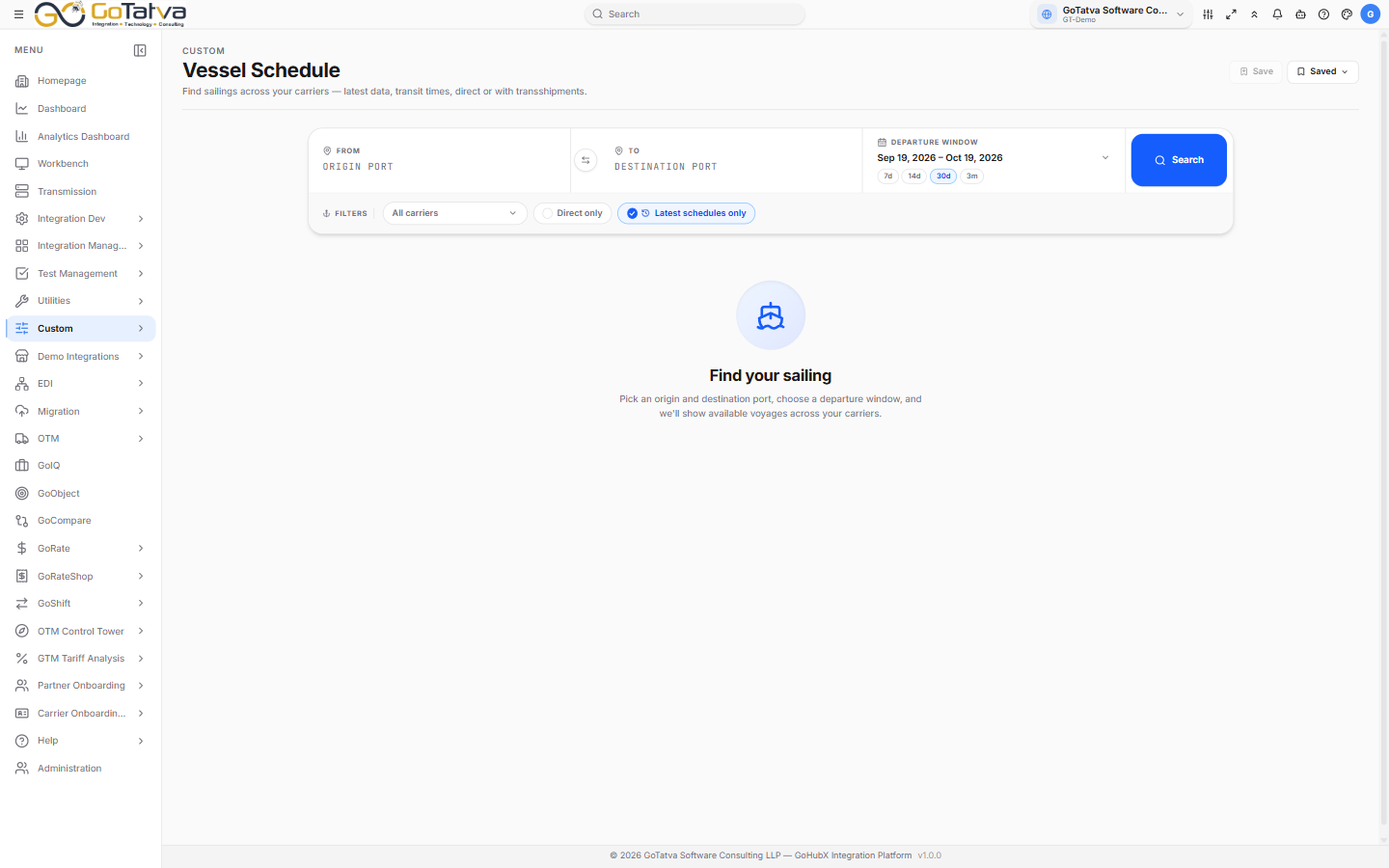
Origin, destination and a departure window.
Searching
Set From and To - the swap button reverses them - and a Departure window. The quick presets are 7d, 14d, 30d and 3m.
Then Search.
Narrowing the results
- Carriers - all of them, or a selection.
- Direct only - hides anything with a transshipment.
- Latest schedules only - on by default, so you see current schedules rather than superseded ones.
Sort by Earliest departure, Latest departure, Shortest transit, Longest transit or By carrier.
Reading a voyage
Each card shows the vessel, its voyage number and the carrier, then the route: departure port and ETD, the transit in days, and the arrival port and ETA.
A green Direct chip means no transshipment; an amber N transshipments chip names the ports it calls at on the way.
The footer carries the service and route codes, and when the schedule was last updated - worth a glance, since schedules move.
Exporting
Export CSV downloads the sailings, one row each with ports, dates, transit and transshipments.
It exports the current page of results, not the whole search. Widen the page size or export each page.
Saved searches
Save keeps the current origin, destination and carriers; Saved lists them, up to 20.
They are not part of your account, so they do not follow you to another machine and are lost if site data is cleared.