Go EDI-X
The day-to-day EDI workspace. Everything here was designed in Go EDI - this is where the documents actually get filled in and sent.
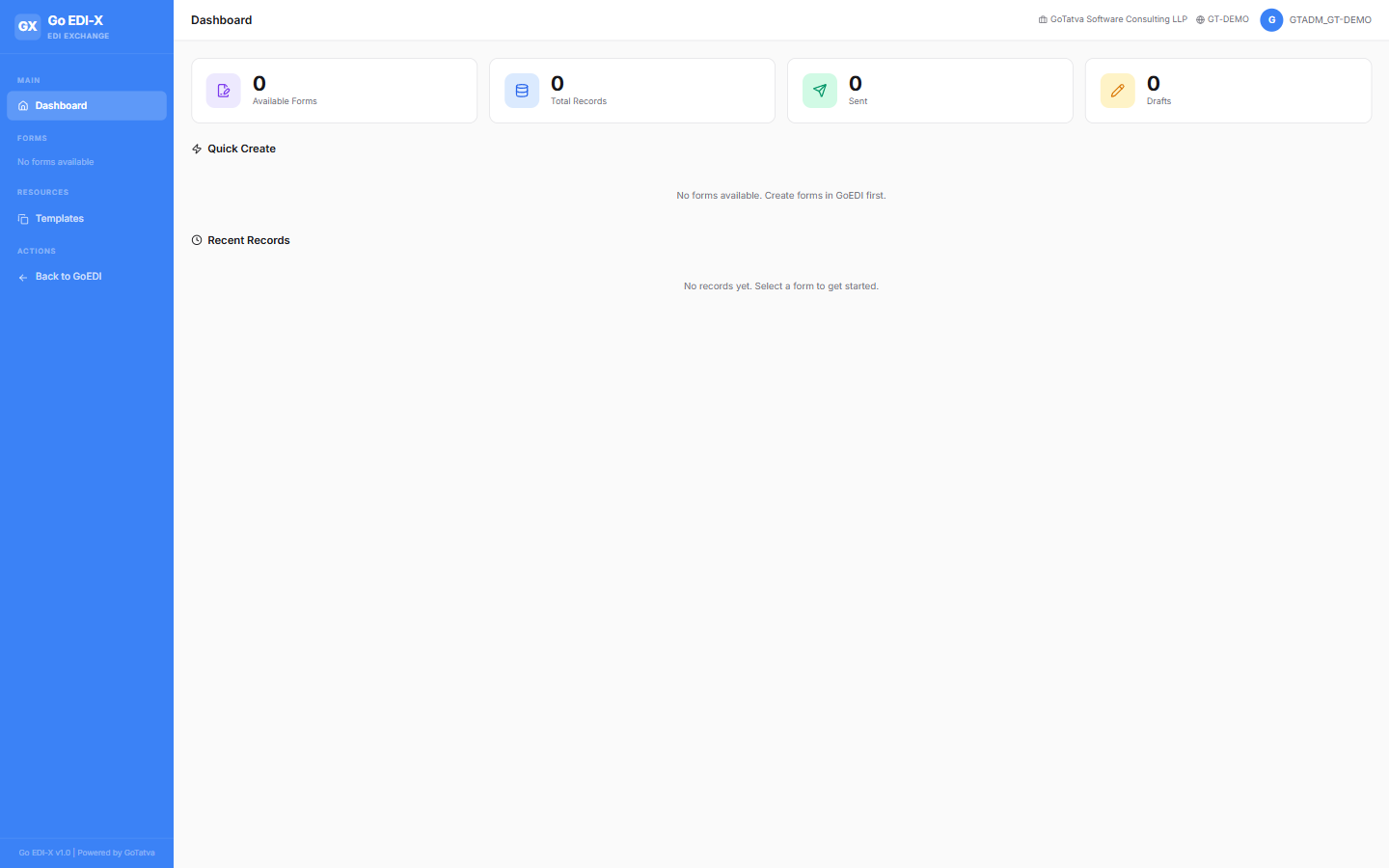
Go EDI-X opens full screen, with its own navigation.
Go EDI-X runs as its own workspace rather than inside the usual platform frame, so the sidebar and top bar are its own. Back to GoEDI in the left sidebar returns you to the rest of the platform.
Dashboard
Four counts - Available Forms, Total Records, Sent, Drafts - then Quick Create for starting a new record, and Recent Records for picking up where you left off.
Records
Selecting a form from the sidebar lists its records: ID, Label, Business Flow, Status, and when each was created and last updated. Search records... filters by label.
A record is either Draft or Sent.
Filling a form
New Record, or From Template to start from saved values.
Record Name and Business Flow Name are both required. Fill the sections below, then:
| Action | What it does |
|---|---|
| Save Draft | Keeps it without sending |
| Preview EDI | Builds the document so you can check it - Copy or Download .edi |
| Save as Template | Keeps these values for reuse |
| Submit | Sends it to the selected integration |
Pick the Integration before you submit - it decides where the document goes.
Only active REST inbound integrations appear. If the list is empty, ask your administrator to set one up in Integrations.
Templates
Everything saved as a template, searchable. Templates are created while filling a record, not here.