Plug N Play
A directory of your logistics partners - who they are, what they carry, how you exchange data with them, and what has been set up in OTM for them.
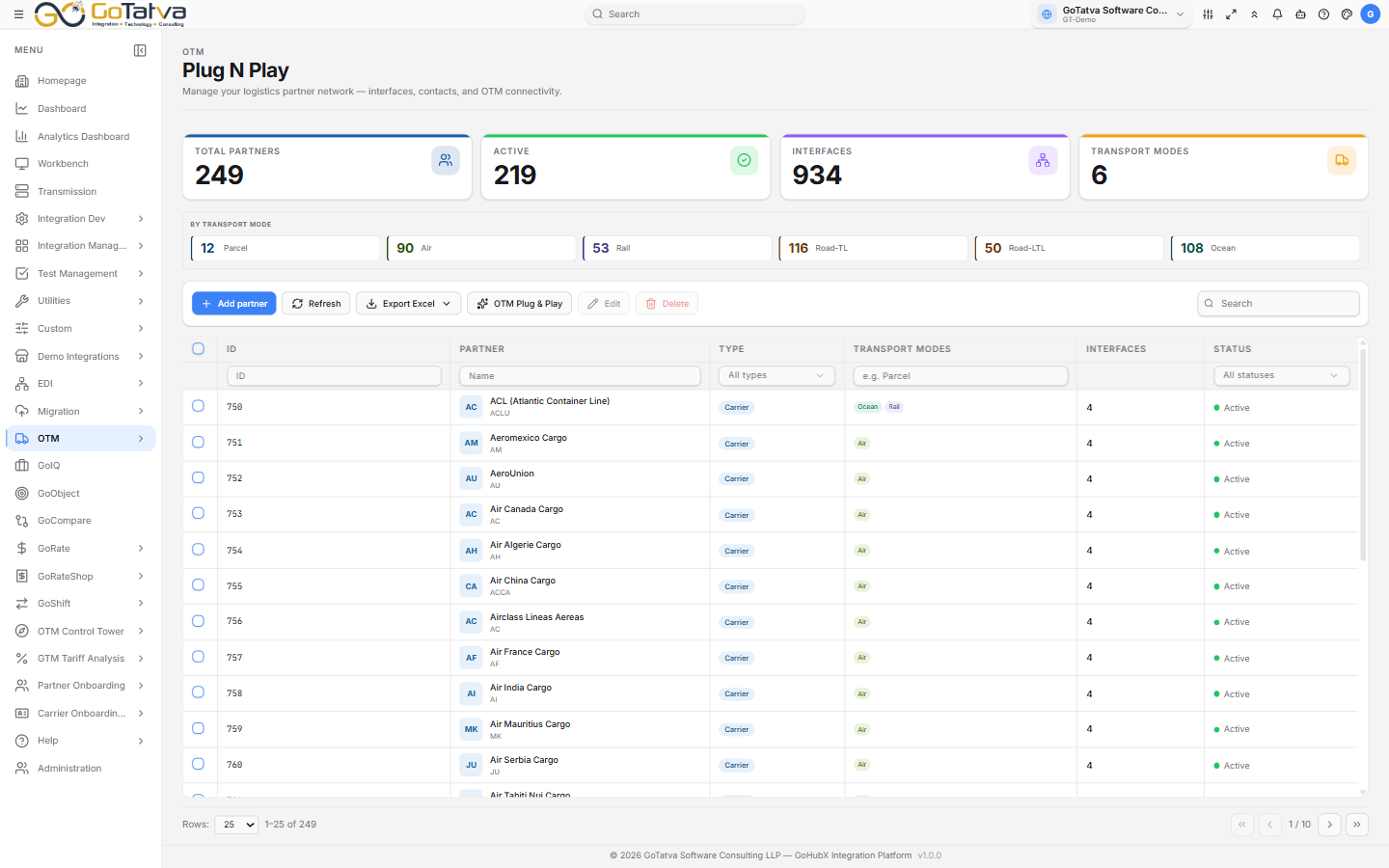
The partner directory, with counts across the top.
The directory
Four counts across the top - Total partners, Active, Interfaces and Transport modes - and these cover every partner, not just the page you are looking at. Below them, a card per transport mode: Parcel, Air, Rail, Road-TL, Road-LTL and Ocean.
The table lists ID, Partner, Type, Transport modes, Interfaces and Status. Filters sit under the headings - free text for ID, partner and mode, and dropdowns for type and status.
| Status | Meaning |
|---|---|
| Active | In use |
| Onboarding | Being set up |
| Testing | Exchanging test data |
| Inactive | Not in use |
Partner types are Carrier, 3PL, Freight Broker, Customs Broker, Port / Terminal and Technology Provider.
Working with partners
| Action | Notes |
|---|---|
| Add partner | Registers a partner and defines its interfaces |
| Edit | Opens the partner - details, interfaces, contacts and documents. Clicking the partner name does the same |
| Delete (n) | Removes the selected partners |
| Export Excel | Current page or All records |
| OTM Plug & Play | Connects partners to OTM and pushes their interface configuration |
Selecting rows shows a "n selected" chip with Clear beside it.
Columns here are filtered rather than sorted. Use the filter row under the headings to narrow the list.