Exceptions
Everything that has gone wrong across the network, as a worklist. This is the screen operations teams live on.
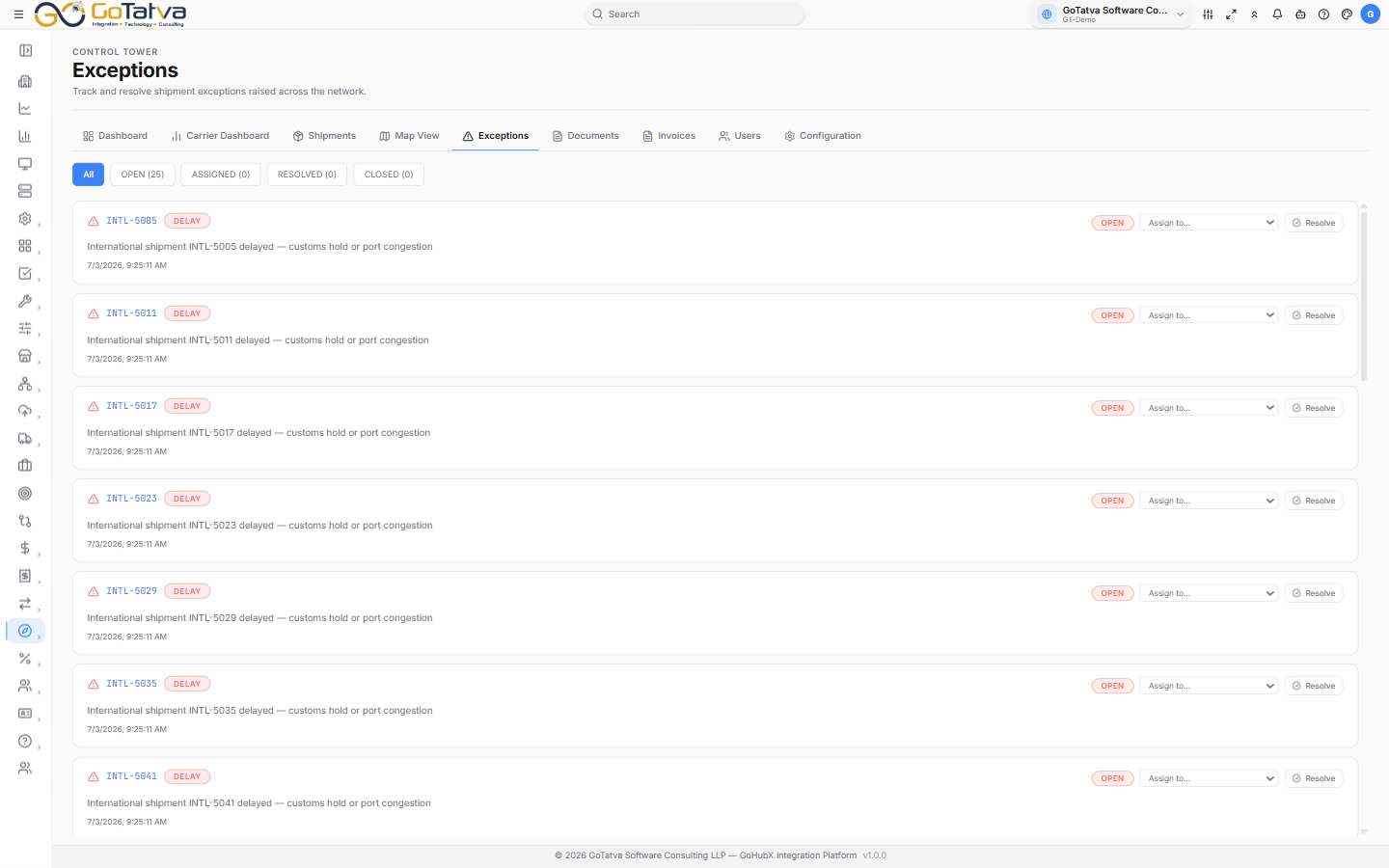
The exception worklist, filtered by status.
Working the list
The buttons across the top filter by status and carry a live count, so OPEN (4) tells you how much is outstanding before you click it.
| Status | Meaning |
|---|---|
| OPEN | Raised, nobody has picked it up |
| ASSIGNED | Someone is on it |
| RESOLVED | Dealt with |
| CLOSED | Finished and filed |
What each card tells you
The shipment it concerns, the type of exception, its current status, a description of what happened, who it is assigned to, and when it was raised. Resolved exceptions also show when they were resolved.
| Type | Meaning |
|---|---|
| DELAY | Running behind schedule |
| MISSED PICKUP | Collection did not happen as planned |
| MISSED DELIVERY | Delivery did not happen as planned |
| GPS LOST | Position updates have stopped |
| ROUTE DEVIATION | Off the expected route |
| NO UPDATE | Nothing heard for longer than expected |
Assigning and resolving
Assigning is optional - an exception can be resolved straight from the board.
On any exception that is not already resolved or closed:
- Assign to... lists the active Control Tower users with their roles. Pick one and it is assigned straight away - no separate save.
- Resolve marks it dealt with. The card keeps the resolution time.
Only active users appear in the list. If someone is missing, check they are active on Users.
An exception shows its shipment ID but does not open it. Copy the ID and search for it on Shipments.
If the list is empty
- No exceptions yet. Sync data from Configuration to detect exceptions. - exceptions are worked out during a sync; see Configuration.
- No exceptions match this filter. - try All.