Shipments
Every shipment in the project, in one table. This is where you come when someone asks "where is this order?"
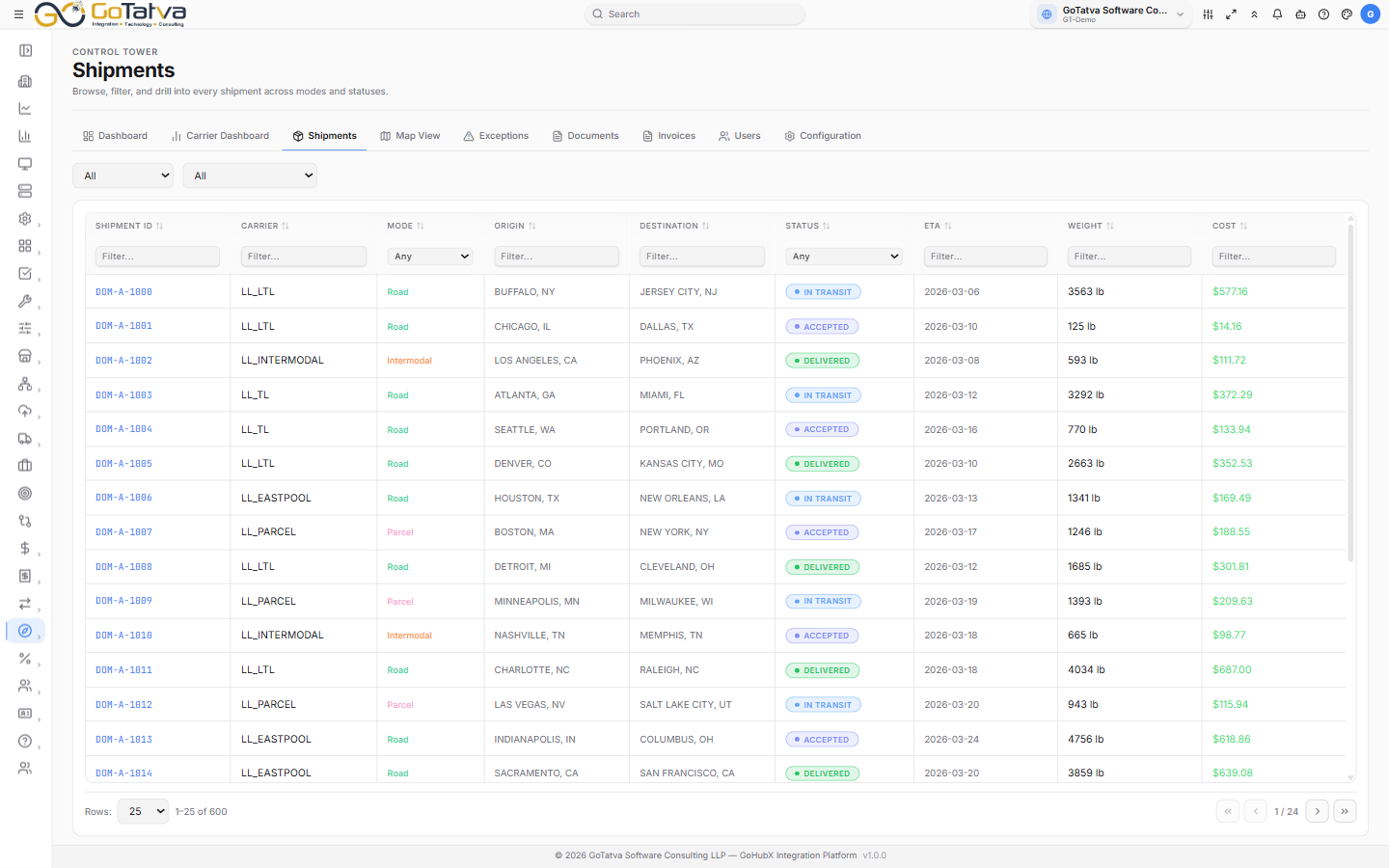
The Shipments table, with the mode and status filters above it and per-column filters below the headings.
Narrowing the list
Two dropdowns at the top:
- Mode - All, ROAD, AIR, OCEAN, RAIL, INTERMODAL, PARCEL
- Status - All, CREATED, TENDERED, ACCEPTED, IN_TRANSIT, AT_HUB, PICKED_UP, OUT_FOR_DELIVERY, DELIVERED, DELAYED, CLOSED
Per-column filters sit under the headings. Text columns take a Filter... box; Mode and Status give you a dropdown whose blank option is Any.
The Status filter lists IN_TRANSIT, while the table cell for the same shipment
reads In Transit. Same thing, written two ways.
Click a column heading to sort. Click again to reverse it, and once more to clear the sort.
The columns
Shipment ID, Carrier, Mode, Origin, Destination, Status, ETA, Weight, Cost. Anything the shipment does not carry shows as a dash.
Statuses
| Shown | Meaning |
|---|---|
| Created | On the system, not yet offered to a carrier |
| Tendered | Offered to a carrier |
| Accepted | The carrier has taken it |
| Scheduled | Booked in for collection |
| Picked Up | Collected |
| In Transit | On the move |
| At Hub | At an intermediate facility |
| Out for Delivery | On the final leg |
| Delivered | Arrived |
| Delayed | Behind schedule - see Exceptions |
| Closed | Complete and settled |
Opening a shipment
Click any row. See Shipment detail for what is on that page.
Paging
Rows: sets the page size - 10, 20, 25, 50 or 100, starting at 25. The counter beside it reads "x–y of N", and the arrows move a page at a time or jump to the first or last.
If the list is empty
- No shipments found. Go to Configuration and click Refresh to sync data. - nothing has been synced yet. See Configuration.
- No shipments match the current filters. - there is data, but your filters exclude all of it. Clear the two dropdowns first, then the column filters.