Administration
One console for everything about who can do what: user accounts, the roles that decide what they see, the projects work is organised into, and the certificates and credentials the platform uses on your behalf.
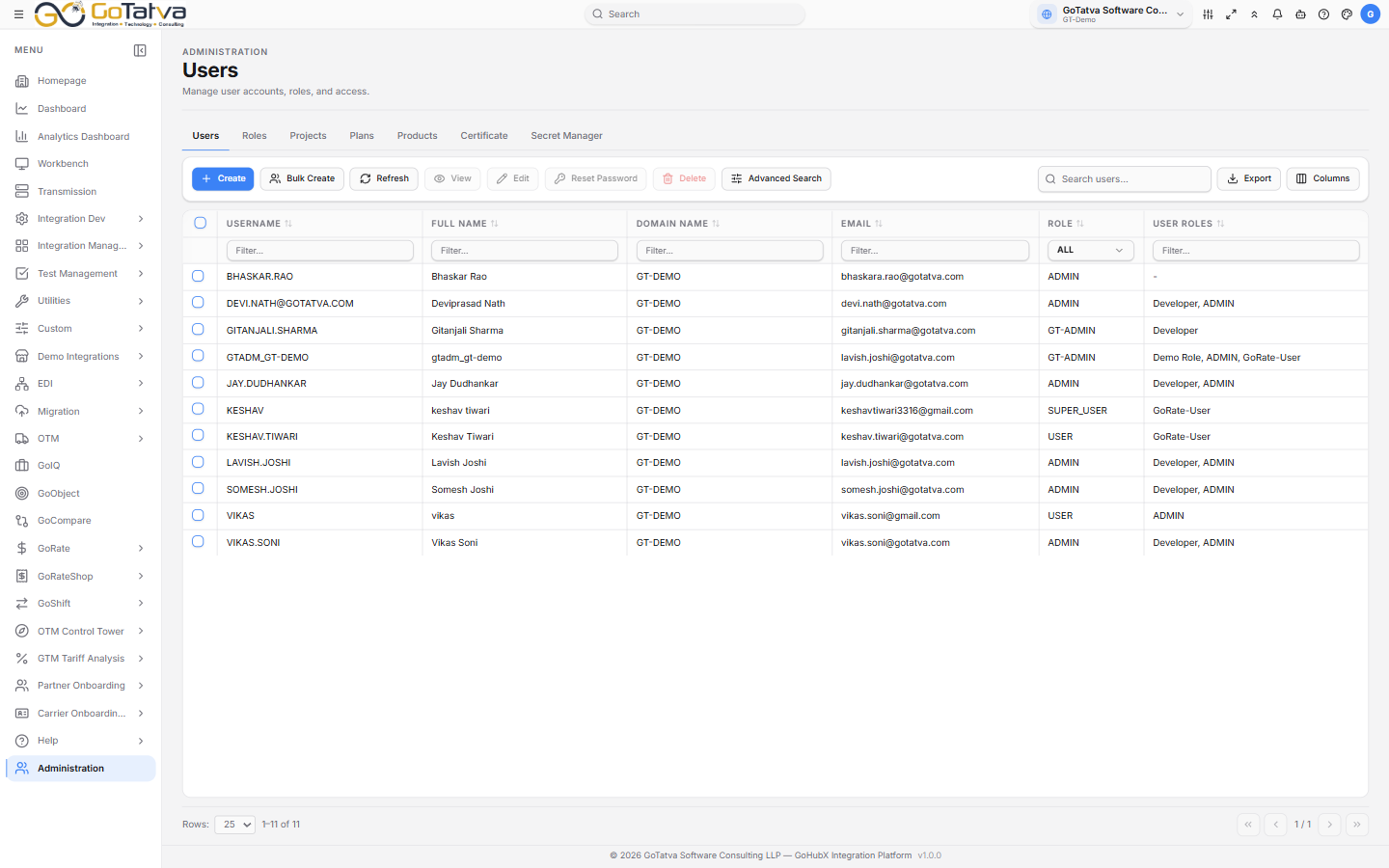
Administration, with its tabs across the top.
Projects, then roles, then users. A user needs both a project and a role covering it.
Who can open it
Administration is not granted by a role alone - your account has to be an administrator. Within that, a role can narrow which tabs you see.
| Tab | What it covers |
|---|---|
| Users | Accounts, their roles and their projects |
| Roles | What each role can open, and at what level |
| Projects | Projects and their retention settings |
| Plans / Products | Your subscription and what it includes |
| Certificate | Certificates for secure exchange |
| Secret Manager | Credentials and mail sender settings |
Three further tabs - Domains, Threads and Provider IdP - are managed by the platform operator rather than by you, and only appear for them.
The order to do things in
Projects → Roles → Users. A role belongs to a project, and a user needs both a project and a role covering it. Creating users before the roles exist means going back to edit them.
Except for the platform operator's cross-tenant view, Administration shows the project selected at the top right. If someone is missing from a list, check that first.