GoParcel
Pick which parcel carrier interfaces you want, map them onto the standard slots, and have the integrations built for you.
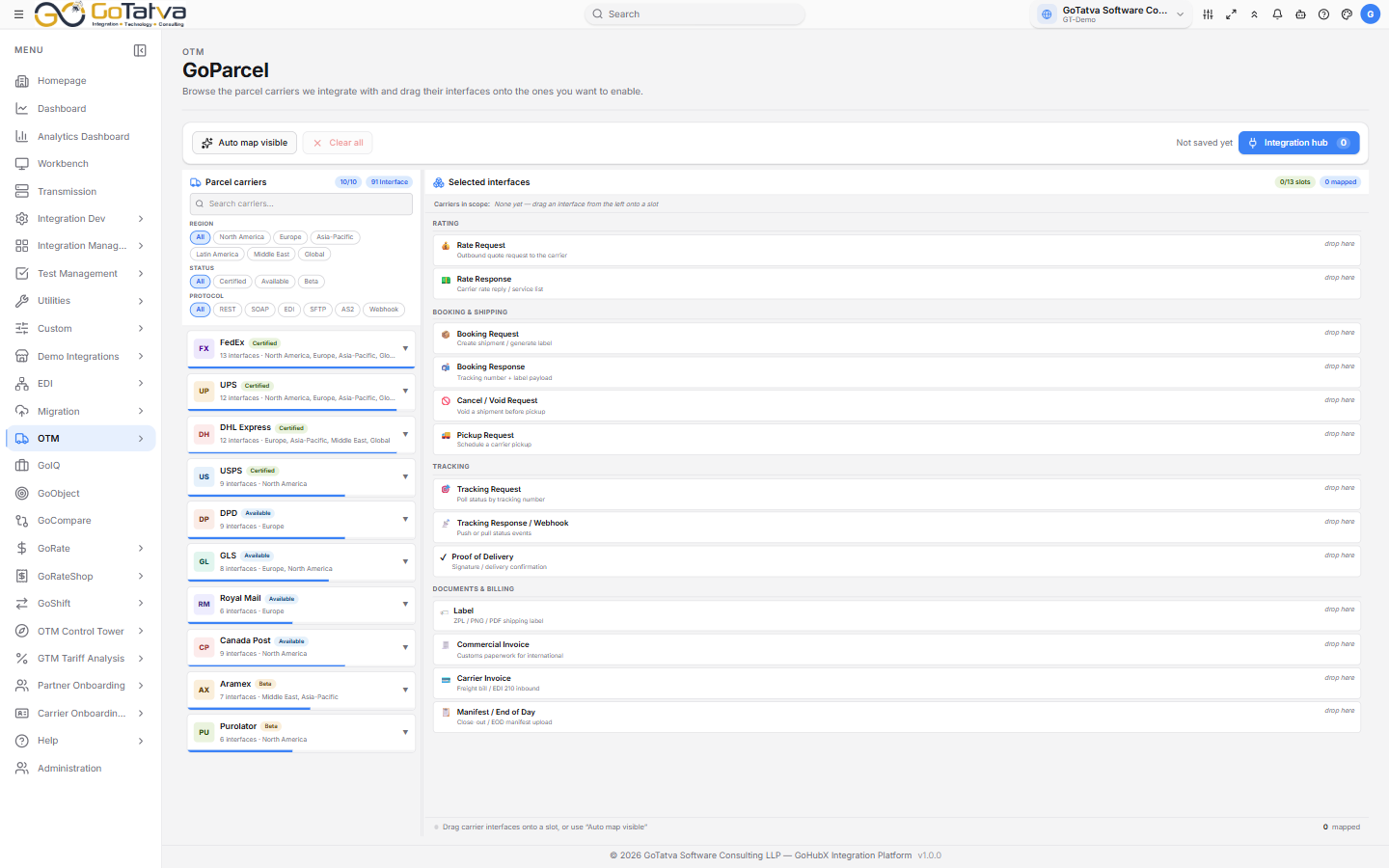
Carriers on the left, the standard interface slots on the right.
How it works
The right-hand side lists 13 standard slots in four groups - what any parcel carrier integration needs to cover:
| Group | Slots |
|---|---|
| Rating | Rate Request, Rate Response |
| Booking & shipping | Booking Request, Booking Response, Cancel / Void Request, Pickup Request |
| Tracking | Tracking Request, Tracking Response / Webhook, Proof of Delivery |
| Documents & billing | Label, Commercial Invoice, Carrier Invoice, Manifest / End of Day |
On the left are the carriers - FedEx, UPS, DHL Express, USPS, DPD, GLS, Royal Mail, Canada Post, Aramex and Purolator - each with the interfaces it offers. Filter them by Region, Status or Protocol. Status is Certified, Available or Beta.
Drag an interface onto a slot, or use + Add to let it find its own slot. Auto map this carrier does a whole carrier at once, and Auto map visible does everything the current filters show.
An interface dropped onto a slot it does not normally fill still maps, but is marked as a manual override so it stands out later.
Building the integrations
Integration hub shows what you have selected. Configuration binds each interface to a connection or partner network and picks the OTM adapter - the footer counts how many are bound, and Build unlocks when they all are.
Build creates one integration per interface.
Nothing starts running on its own. Review each one in Integrations and activate it when you are ready. The build summary links straight there.
If some fail, the summary says which - fix those and run Build again to retry just them.
Two things to know
There is no Save button and the mapping is not stored on the server - it lives in the browser you made it in. It will not follow you to another machine, and clearing site data loses it. Build first if the selection matters.
The carrier list is a curated catalogue of carriers GoHubX integrates with. It is not your own configured partners - those live in Partner Network.