Issue Tracker
Where problems get recorded and followed up - raised against a partner, an integration, or nothing in particular, with attachments, comments and email notifications.
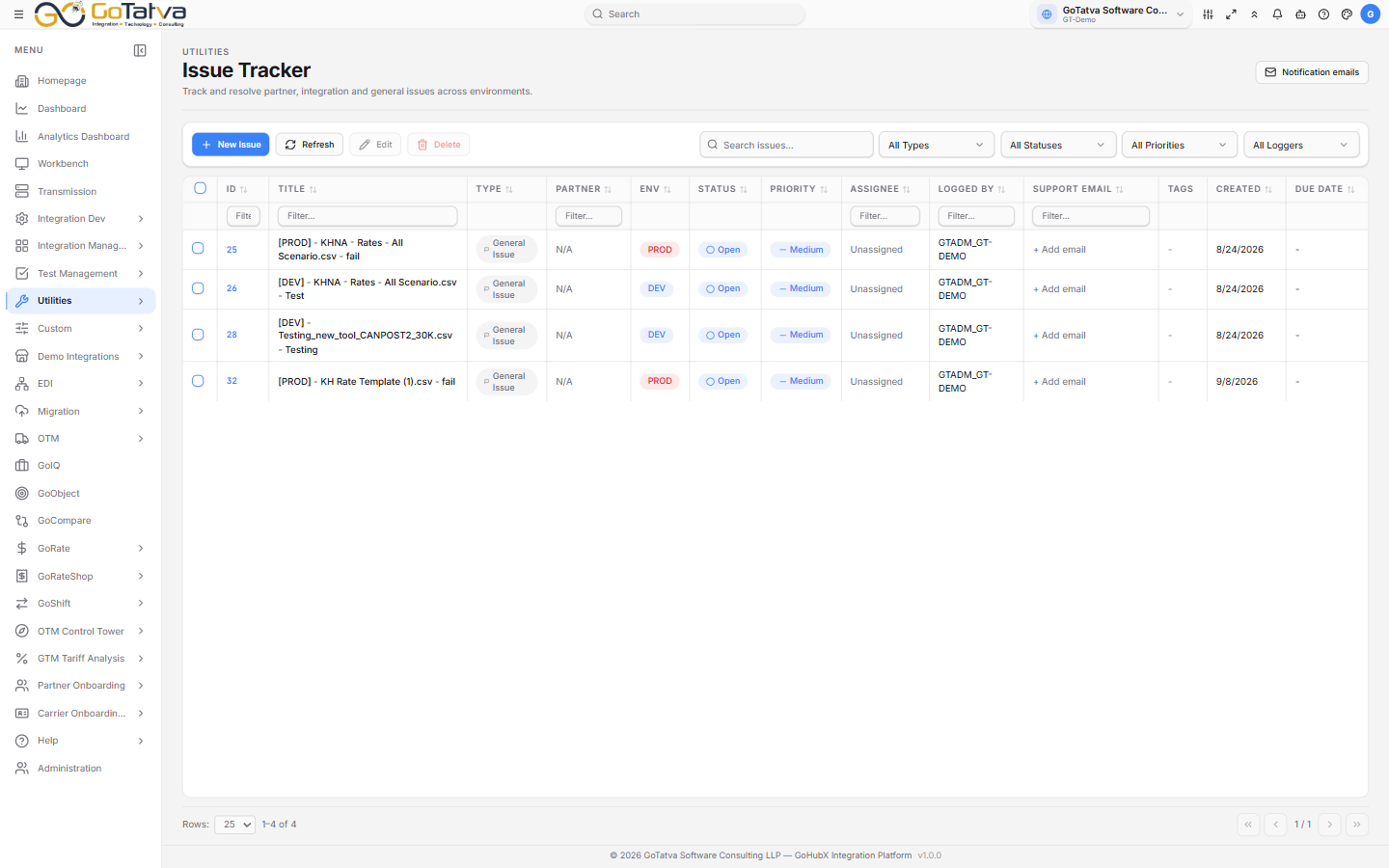
Every issue for the current project.
Raising an issue
New Issue opens a form. What it asks for depends on the Issue Type:
| Type | Also needs |
|---|---|
| Partner Issue | The partner |
| Integration Issue | The integration |
| General Issue | Nothing further |
Along with a Title, Description, Status, Priority, and optionally an assignee, tags and a due date.
Issues are stamped PROD, UAT or DEV based on where you raised them,
and the environment is added to the title - so [UAT] - Rate upload failing.
You do not choose it.
Attachments and comments
Add Files attaches documents. Take Photo and Paste Screenshot are usually faster for an error message - paste straight from the clipboard.
The discussion below takes comments, so the history of an issue stays with it rather than in email.
The list
ID, Title, Type, Partner, Env, Status, Priority, Assignee, Logged By, Support Email, Tags, Created and Due Date.
Filter by type, status, priority or who logged it, and search across the lot.
| Status | Meaning |
|---|---|
| Open | Raised, not started |
| In Progress | Being worked on |
| Blocked | Waiting on something else |
| On Hold | Paused deliberately |
| Resolved | Done |
Priorities are Low, Medium, High and Critical.
Support Email can be edited straight in the cell - click it, type, press Enter.
Notification emails
Notification emails in the header sets who is told when an issue is raised or updated. Everyone on that list gets the mail, as does whoever raised the issue.
Only administrators can change the list; everyone else sees it read-only.