View Source
Opened from a row in Upload Manager. It shows the file exactly as it was uploaded, marks the rows validation flagged, and is where you run a file again or confirm you have reviewed it.
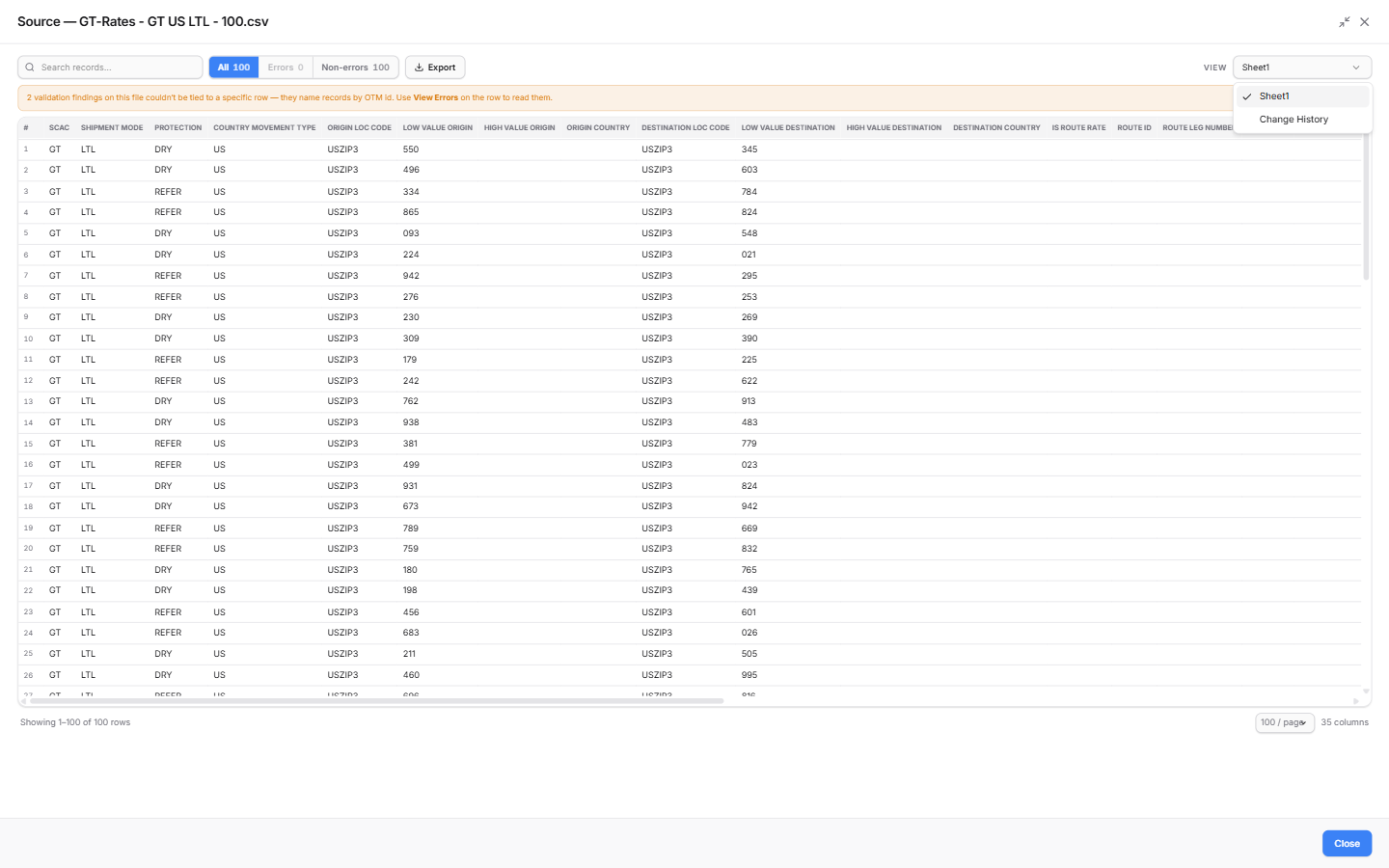
The uploaded file in a searchable grid. The VIEW dropdown (top right) switches between views.
The VIEW dropdown
| View | What it shows |
|---|---|
| The file's sheet(s) | Your file, exactly as uploaded - one entry per sheet in a workbook |
| Change History | Every edit made in the Data Upload grid before the file was pushed. Only offered when something was edited |
Reading the grid
Once validation has run, filter chips above the grid count the rows in each group:
| Chip | Rows |
|---|---|
| All | Every row in the file |
| Errors | Rows validation flagged as errors |
| Warnings | Rows with warnings - shown only when there are some |
| Skipped | Rows set aside by validation against OTM - they will not reach OTM. Shown only when there are some |
| Non-errors | Everything else |
Hover a flagged row to see why it was flagged. Findings that name records by their OTM ID rather than a row are listed under View Errors on the upload row instead.
- Search records narrows the grid.
- Export downloads the rows currently shown - the current chip and search, every page of it - as CSV.
- Choose how many rows show per page at the bottom.
Change History
An audit trail of everything changed in the grid before the file was pushed.
| Column | What it holds |
|---|---|
| When | The time of the change |
| Action | A cell edit, a row marked OK, or rows set aside as duplicates |
| Sheet | The sheet the change was made on |
| Row | The row number in that sheet |
| Column | The column that changed |
| From / To | The value before and after |
| Details | Extra context, such as how many rows an action covered |
For approvers, this answers "what did the uploader change by hand?" at a glance. A file that was pushed exactly as uploaded reads No change history found.
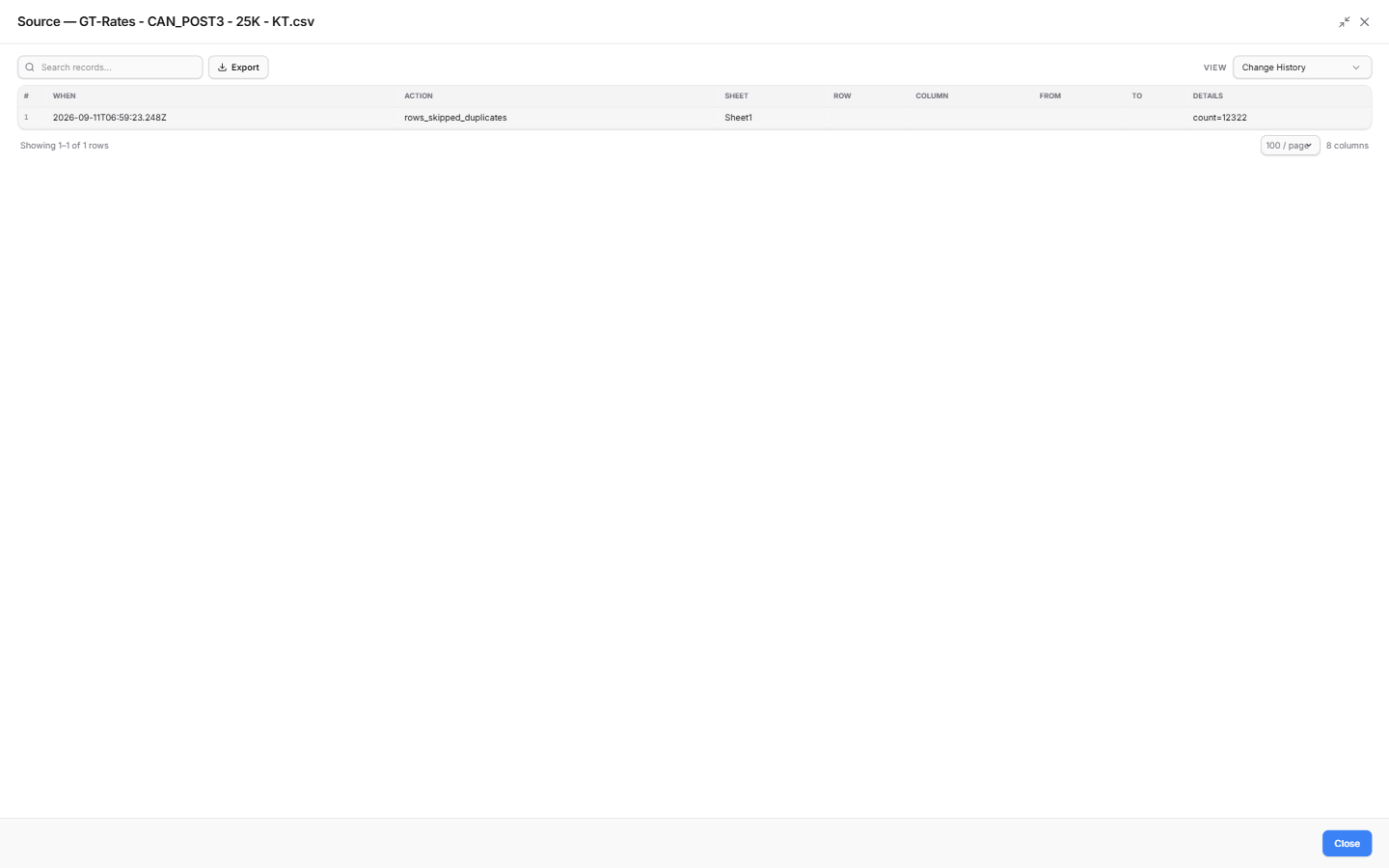
The log for a file that was pushed unedited apart from the duplicate rows the platform set aside.
Actions in View Source
| Action | When it is offered | What it does |
|---|---|---|
| Revalidate | Validation Rejected; Validated with no approvals yet; or Validating for over 30 minutes | Validates the same file again, unchanged - use it once the OTM side has been fixed |
| Reprocess | Same as Revalidate | Opens the file in Data Upload as a new upload - edit the rows, then validate and push |
| I've reviewed the data in this file | Validated, for approvers | Ticking it unlocks Approve on the row. Untick to take it back. See Approvals |
Once someone approves the file, Revalidate and Reprocess are no longer offered.
Looking at a rate in detail
View Source shows the file as rows. To see a single rate as the system extracted it - header, rate info, costs, accessorials, special services and remarks - open Rate Viewer from the GoRate menu, pick the file, and double-click the rate.