Adapter
An adapter turns a connection into something that speaks a particular system's language - SAP, Salesforce, ServiceNow, S3 and so on - and lists the interfaces available on it.
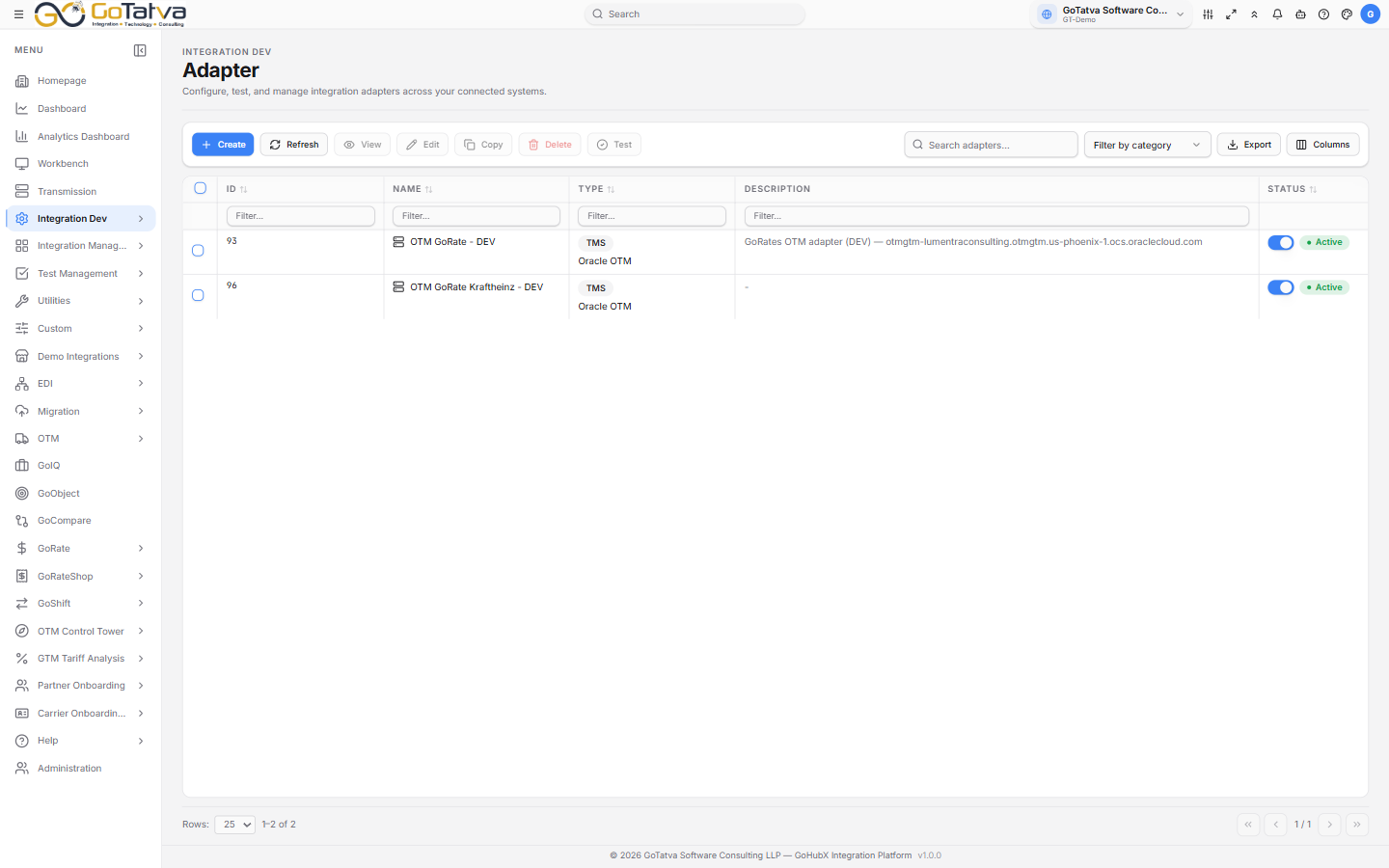
The adapter list. Type shows the system and its category.
Creating one
Create opens a catalogue grouped by category - ERP, Cloud Storage, E-commerce, Document Management, E-signature, CRM, Healthcare, Banking, Database, TMS and more - with a search box across all of them.
Pick the system and fill in Connectivity Configuration (which connection to use) and, where the system has one, Endpoint Configuration - a row per interface, each able to name an inbound and an outbound workflow.
A sample payload can be attached to any endpoint: .json or .xml, up to 10 MB.
Dynamic Adapter
When a system needs more than one protocol, Dynamic Adapter holds several connections in one adapter - REST, SFTP, JDBC, AS2, SOAP and SMTP - each with its own endpoints. The rail on the left shows a dot per connection: green when it is complete, amber when something is missing.
Managing adapters
| Action | Notes |
|---|---|
| Test | Checks the adapter against its configuration |
| Copy | Duplicates it. The copy is created inactive |
| Start / Stop | Activates or deactivates |
| Delete |
Status is ACTIVE or INACTIVE.
The search box and column filters on this screen narrow the rows currently loaded, not the whole list. If something seems missing, page through or sort to bring it into view.