Email Template
Write an email once, with placeholders where the details go, and reuse it.
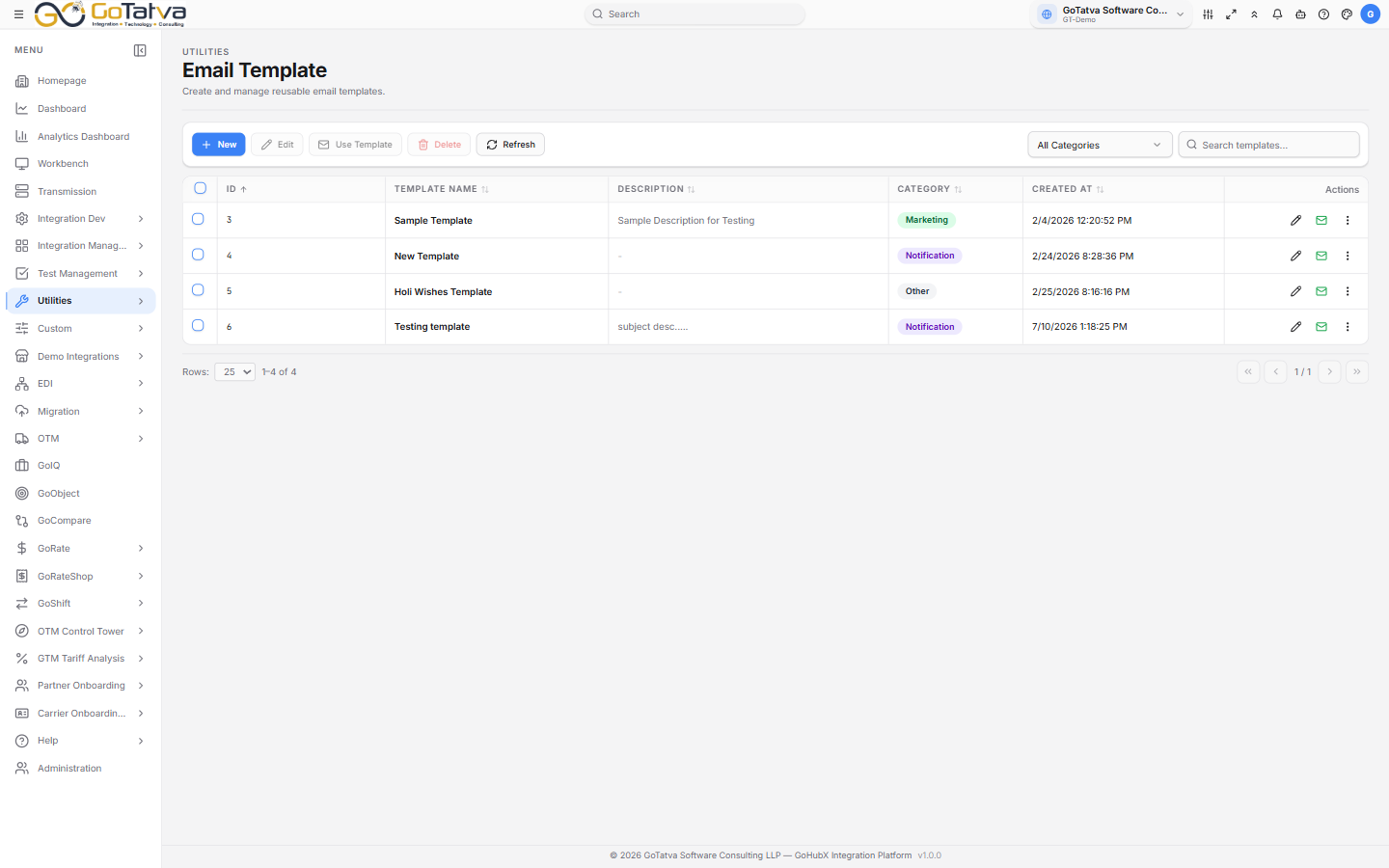
The template list, with its category filter and search.
The template list
ID, Template Name, Description, Category and the date. Search templates... matches on name, and the category dropdown narrows to Marketing, Transactional, Newsletter, Notification or Other.
Each row has Edit, Use Template and Delete, either as icons or under the kebab menu.
Creating, editing and deleting are limited to administrators. Everyone else can read the list and use a template to send an email.
Writing a template
New opens a tab with:
| Field | Notes |
|---|---|
| Template Name | Required |
| Category | One of the five above |
| Email Subject | Required. Placeholders work here too |
| Description | Optional, for your own reference |
| Email Body | Required. The rich-text editor below |
Then Create Template.
Placeholders
Open the Placeholders panel under the editor and click one to drop it in at the cursor:
| Placeholder | Fills with |
|---|---|
{{firstName}} / {{lastName}} / {{fullName}} | The recipient's name |
{{email}} | Their email address |
{{companyName}} | Their company |
{{phone}} | Their phone number |
{{date}} / {{time}} | When the email is sent |
{{unsubscribeLink}} | An unsubscribe link |
The editor
The usual formatting - bold, italic, underline, strikethrough, headings, font sizes, lists, indent, alignment, text and highlight colour, quotes and code blocks. Insert Link takes link text and a URL. Source switches to the HTML and back with Visual.
Sending from a template
Use Template opens the composer. If you would rather not start from a template, Start from Scratch.
- To, Cc and Bcc - type an address and press Enter or comma to add it as a chip. A counter keeps the running total, and anything that is not a valid address is flagged.
- Attachments - drag files in or Click to browse. Up to 10 MB each; PDF, Word, Excel, images, text and CSV.
- Check the Subject and Email Body - both came from the template and both are editable here without changing the template itself.
- Send Email.
Change Template swaps to a different one; what you have typed is replaced, so do it before you write the body rather than after.